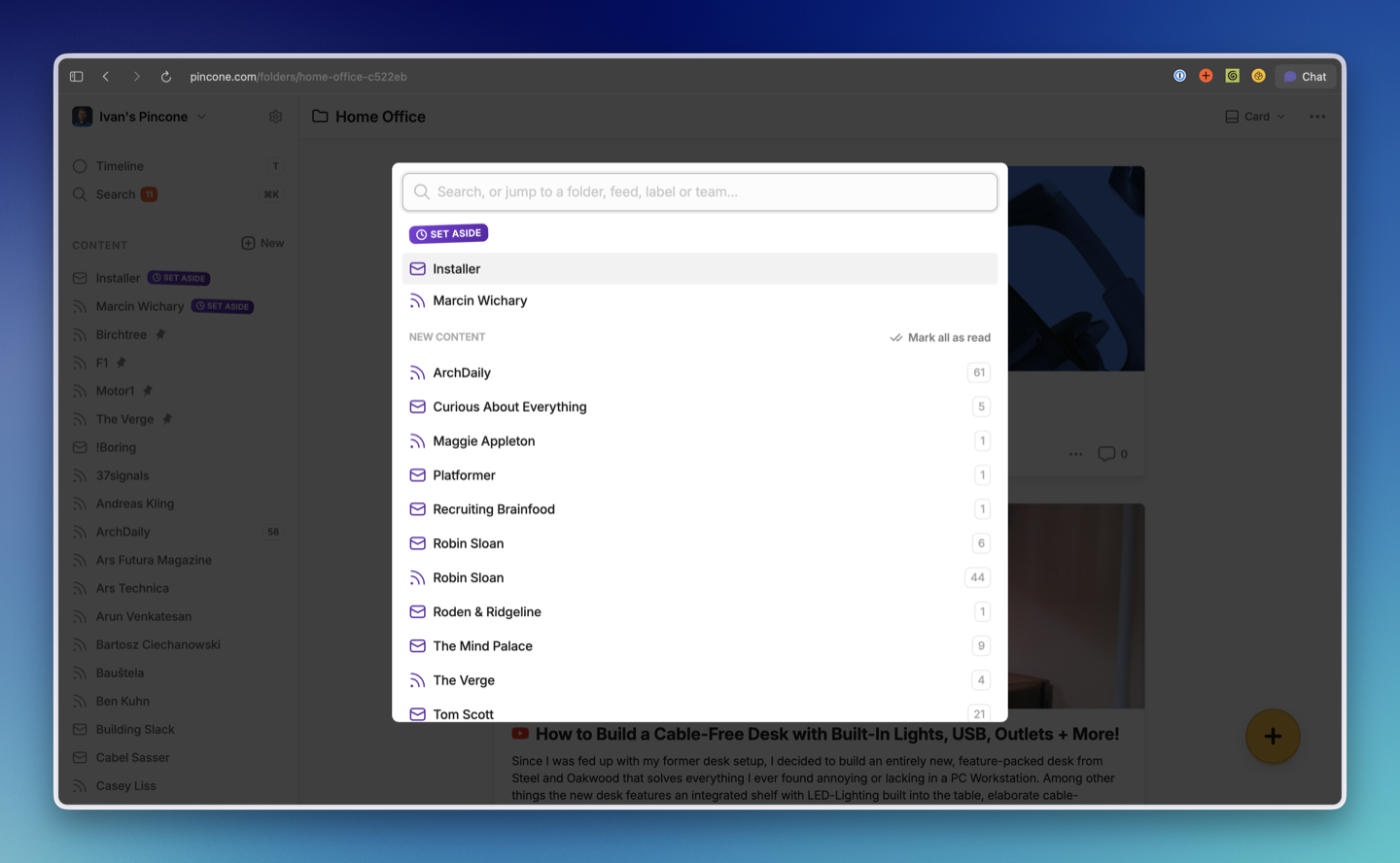
The fastest way to get around Pincone is the search window. Press Cmd+K (Ctrl+K on Windows) or just / from anywhere, and it opens ready for you to type.
Jump to anything
Start typing the name of a folder, feed, inbox, or label and matching results appear instantly. Hit Enter and you're there. It's the quickest way to move around once your Pincone starts filling up.
Catch up on what's new
Open search without typing anything and you'll see your New Content — every feed and inbox with unread items, with a count next to each. It's a little reading list of everything waiting for you. You can also mark everything as read from there when you're feeling ruthless.
Anything you've flagged with Set Aside gets its own group above New Content, so your declared catch-up debts always come first.
Search everything
When you're looking for a specific link, article, or newsletter, type what you remember and choose Search everything. Pincone runs a full search across everything you've saved — titles, descriptions, and content — and shows the results on a full page, with tabs to narrow down by type.
A few tips
- Search matches as you type, so a few letters are usually enough.
- Type "help" into the search window and you'll get a shortcut straight to this Help section. Meta!